
There are a number of different tools available to help you search for online resources. This page provides an overview with all the relevant information.
Important: To access the library’s e-resources, you must be connected to the WU network – either via the WU Wi-Fi on campus or via VPN if you are working off campus.
Subcatalog of the textbook collection
You can find many eBooks in the WU Catalog. To limit your search to eBooks in the textbook collection, use the subcatalog Textbook Collection LC or Textbook Collection D3. You’ll see a list of both the available print books and the eBooks.
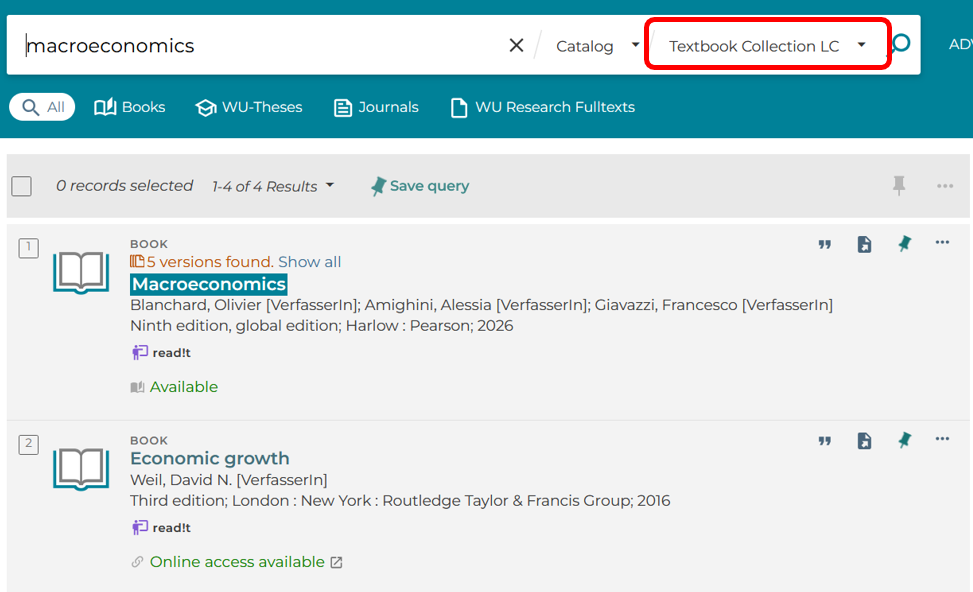
Now you can either open the eBook title directly in full text or be redirected to the provider. There, you’ll see the available options for using or downloading it. If there are multiple providers, they’ll be displayed in the results list after you click on the title. In some cases, it may be helpful to use the Open source in a new window feature to get a clearer view of the provider’s page.
Types of licenses
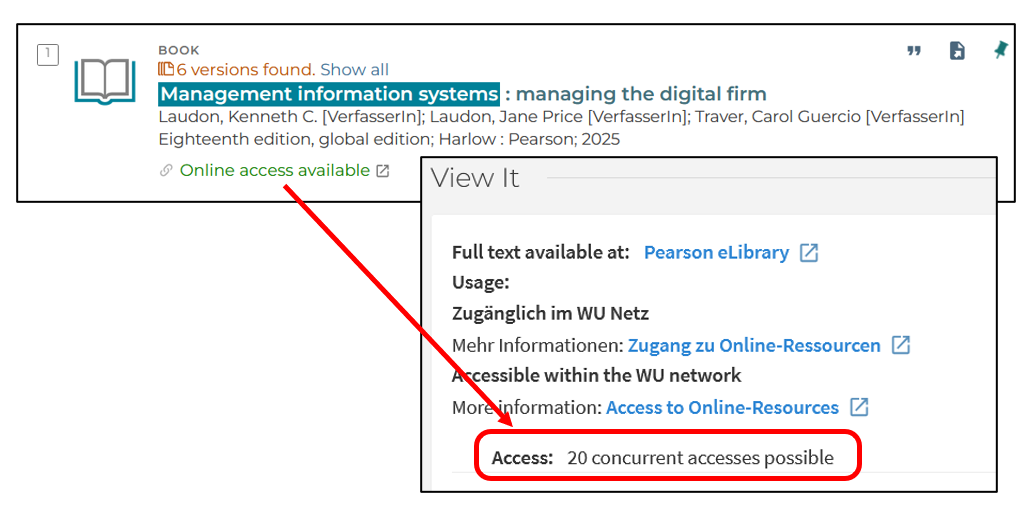
If an eBook won’t open, it may be because the maximum number of simultaneous accesses has been exceeded. This means, for example, that only one person, 3 people, or 20 people can access the eBook at the same time. Please try again later.
Example:
Download for mobile devices
Click on the Online access available link and select one of the options listed, or you’ll be redirected directly to the provider’s website. There, you can view the document or, if necessary, download it in various formats.
In addition to PDF, it is sometimes possible to download the document in EPUB format. This format is optimized for use on mobile devices (e.g., e-readers, smartphones), as the images and text layout adapt to the screen size.
To open the EPUB file on your device, you may need an app (such as Aldiko or Calibre, which are free) that lets you manage a library on your mobile device and read books from it.